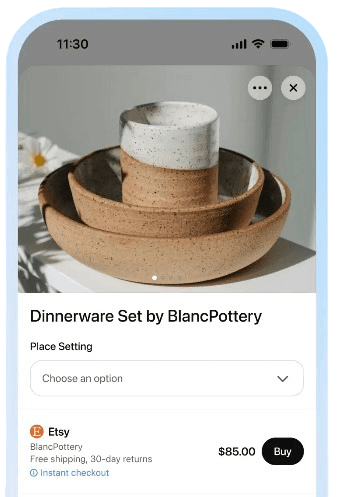
Shopify is by far one of the most popular e-commerce platforms globally, powering millions of online stores. Integrating the Agentic Commerce Protocol (ACP) with Shopify enables merchants to make their products discoverable by AI agents, opening up new opportunities for customer acquisition and sales.
This comprehensive guide walks you through the process of integrating ACP with Shopify, from initial setup to advanced optimization strategies.
Prerequisites and Requirements
Before implementing ACP with Shopify, ensure you have the necessary prerequisites and understand the requirements.
Technical Prerequisites
Shopify Store: An active Shopify store with admin access
Development Environment: Access to a development environment for testing and implementation
Programming Knowledge: Basic understanding of JavaScript, REST APIs, and webhook implementations
ACP Understanding: Familiarity with the Agentic Commerce Protocol specification and requirements
Business Requirements
Product Catalog: A well-organized product catalog with comprehensive product information
Payment Processing: Established payment processing capabilities through Shopify Payments or third-party providers
Inventory Management: Real-time inventory tracking and management systems
Customer Support: Ability to handle AI agent transactions and customer inquiries
Shopify-Specific Requirements
Shopify Plus: For advanced ACP features, consider upgrading to Shopify Plus for enhanced API access and customization capabilities
Custom Apps: Ability to create and install custom Shopify apps for ACP integration
Webhook Access: Admin access to configure webhooks for real-time data synchronization
API Access: Understanding of Shopify's REST and GraphQL APIs for data access and manipulation
Step-by-Step Shopify ACP Integration
Step 1: Set Up ACP Product Feed
The first step in ACP integration is creating a standardized product feed that AI agents can easily parse and understand.
Create ACP Product Feed Endpoint:
// Shopify app endpoint for ACP product feed
app.get('/acp/products', async (req, res) => {
  try {
    const products = await shopify.rest.Product.all({
      session: res.locals.shopify.session,
      limit: 250
    });

    const acpProducts = products.data.map(product => ({
      id: product.id.toString(),
      title: product.title,
      description: product.body_html,
      price: parseFloat(product.variants[0]?.price || '0'),
      currency: 'USD',
      availability: product.status === 'active' ? 'in_stock' : 'out_of_stock',
      inventory_quantity: product.variants[0]?.inventory_quantity || 0,
      specifications: {
        vendor: product.vendor,
        product_type: product.product_type,
        tags: product.tags.split(',').map(tag => tag.trim())
      },
      images: product.images.map(img => img.src),
      variants: product.variants.map(variant => ({
        id: variant.id.toString(),
        title: variant.title,
        price: parseFloat(variant.price),
        sku: variant.sku,
        inventory_quantity: variant.inventory_quantity
      })),
      metadata: {
        created_at: product.created_at,
        updated_at: product.updated_at,
        handle: product.handle
      }
    }));

    res.json({
      products: acpProducts,
      total: acpProducts.length,
      last_updated: new Date().toISOString()
    });
  } catch (error) {
    res.status(500).json({ error: 'Failed to fetch products' });
  }
});
Key Considerations:
- Data Completeness: Ensure all products include comprehensive information
- Real-time Updates: Implement caching strategies for performance
- Error Handling: Robust error handling for API failures
- Rate Limiting: Implement appropriate rate limiting for AI agent requests
Step 2: Implement ACP Checkout Endpoints
Create secure checkout endpoints that enable AI agents to complete transactions.
ACP Checkout Session Creation:
// Create ACP checkout session
app.post('/acp/checkout/sessions', async (req, res) => {
  try {
    const { line_items, customer_info } = req.body;

    // Validate line items
    const validatedItems = await Promise.all(
      line_items.map(async (item) => {
        const product = await shopify.rest.Product.find({
          session: res.locals.shopify.session,
          id: item.product_id
        });

        return {
          variant_id: item.variant_id,
          quantity: item.quantity,
          price: parseFloat(product.variants[0]?.price || '0')
        };
      })
    );

    // Create checkout session
    const checkout = await shopify.rest.Checkout.create({
      session: res.locals.shopify.session,
      line_items: validatedItems,
      customer: customer_info
    });

    // Calculate totals
    const totals = {
      subtotal: checkout.line_items.reduce((sum, item) =>
        sum + (item.price * item.quantity), 0),
      tax: checkout.total_tax,
      shipping: checkout.shipping_rate?.price || 0,
      total: checkout.total_price
    };

    res.json({
      checkout_session: {
        id: checkout.id,
        status: 'ready_for_payment',
        line_items: validatedItems,
        totals: totals,
        payment_methods: ['credit_card', 'paypal'],
        shipping_options: checkout.shipping_rate ? [{
          id: checkout.shipping_rate.id,
          name: checkout.shipping_rate.title,
          price: checkout.shipping_rate.price,
          estimated_days: checkout.shipping_rate.delivery_range?.min_days || '3-5'
        }] : []
      }
    });
  } catch (error) {
    res.status(500).json({ error: 'Failed to create checkout session' });
  }
});
Security Considerations:
- Authentication: Implement robust authentication for AI agents
- Validation: Validate all input data before processing
- Fraud Prevention: Implement fraud detection measures
- Rate Limiting: Prevent abuse with appropriate rate limiting
Step 3: Configure Product Feed for AI Agents
Optimize your product data to make it more discoverable and useful for AI agents.
Product Data Optimization:
// Optimize product data for AI agents
const optimizeProductForACP = (product) => {
  return {
    id: product.id.toString(),
    title: product.title,
    description: cleanHtml(product.body_html),
    price: parseFloat(product.variants[0]?.price || '0'),
    currency: 'USD',
    availability: product.status === 'active' ? 'in_stock' : 'out_of_stock',
    inventory_quantity: product.variants[0]?.inventory_quantity || 0,
    specifications: {
      vendor: product.vendor,
      product_type: product.product_type,
      tags: product.tags.split(',').map(tag => tag.trim()),
      weight: product.variants[0]?.weight,
      dimensions: {
        length: product.variants[0]?.length,
        width: product.variants[0]?.width,
        height: product.variants[0]?.height
      }
    },
    images: product.images.map(img => ({
      url: img.src,
      alt: img.alt_text || product.title,
      width: img.width,
      height: img.height
    })),
    variants: product.variants.map(variant => ({
      id: variant.id.toString(),
      title: variant.title,
      price: parseFloat(variant.price),
      sku: variant.sku,
      inventory_quantity: variant.inventory_quantity,
      options: variant.selected_options
    })),
    reviews: {
      average_rating: product.metafields?.reviews?.average_rating || 0,
      total_reviews: product.metafields?.reviews?.total_reviews || 0
    },
    metadata: {
      created_at: product.created_at,
      updated_at: product.updated_at,
      handle: product.handle,
      seo_title: product.metafields?.seo?.title,
      seo_description: product.metafields?.seo?.description
    }
  };
};
Key Optimization Strategies:
- Comprehensive Descriptions: Include detailed product descriptions with specifications
- High-Quality Images: Use high-resolution images with descriptive alt text
- Structured Data: Implement structured data markup for better AI understanding
- Review Integration: Include customer reviews and ratings
- SEO Optimization: Optimize product data for search and discovery
Step 4: Implement Real-time Webhooks
Set up webhooks to keep AI agents informed about product changes and order updates.
Webhook Implementation:
// Handle Shopify webhooks for ACP
app.post('/webhooks/products/update', async (req, res) => {
  try {
    const product = req.body;

    // Update ACP product feed
    await updateACPProductFeed(product);

    // Notify AI agents of changes
    await notifyAIAgents({
      type: 'product_update',
      product_id: product.id,
      changes: {
        title: product.title,
        price: product.variants[0]?.price,
        availability: product.status,
        inventory: product.variants[0]?.inventory_quantity
      }
    });

    res.status(200).send('OK');
  } catch (error) {
    console.error('Webhook error:', error);
    res.status(500).send('Error');
  }
});

// Handle inventory updates
app.post('/webhooks/inventory/update', async (req, res) => {
  try {
    const inventory = req.body;

    // Update inventory in ACP feed
    await updateInventoryInACP(inventory);

    // Notify AI agents of inventory changes
    await notifyAIAgents({
      type: 'inventory_update',
      product_id: inventory.product_id,
      variant_id: inventory.variant_id,
      new_quantity: inventory.quantity
    });

    res.status(200).send('OK');
  } catch (error) {
    console.error('Inventory webhook error:', error);
    res.status(500).send('Error');
  }
});
Webhook Security:
- Signature Verification: Verify webhook signatures to ensure authenticity
- HTTPS Only: Use HTTPS for all webhook communications
- Rate Limiting: Implement rate limiting to prevent abuse
- Error Handling: Robust error handling and retry mechanisms
Step 5: Testing Your Shopify ACP Integration
Comprehensive testing is crucial for ensuring your ACP integration works correctly.
Testing Checklist:
- Product Feed Testing: Verify that product data is correctly formatted and accessible
- Checkout Flow Testing: Test the complete checkout process from cart creation to payment
- Webhook Testing: Ensure webhooks are properly configured and functioning
- Performance Testing: Test system performance under various load conditions
- Security Testing: Verify that security measures are properly implemented
Testing Tools:
// ACP integration testing
const testACPIntegration = async () => {
  // Test product feed
  const products = await fetch('/acp/products');
  console.log('Product feed test:', products.status === 200);

  // Test checkout session creation
  const checkout = await fetch('/acp/checkout/sessions', {
    method: 'POST',
    headers: { 'Content-Type': 'application/json' },
    body: JSON.stringify({
      line_items: [{ product_id: 'test-product', quantity: 1 }],
      customer_info: { email: 'test@example.com' }
    })
  });
  console.log('Checkout test:', checkout.status === 200);

  // Test webhook handling
  const webhook = await fetch('/webhooks/products/update', {
    method: 'POST',
    headers: { 'Content-Type': 'application/json' },
    body: JSON.stringify({ id: 'test-product', title: 'Updated Product' })
  });
  console.log('Webhook test:', webhook.status === 200);
};
Common Issues and Troubleshooting
Product Feed Issues
Problem: AI agents cannot discover products Solution: Ensure product data is complete and properly formatted according to ACP specifications
Problem: Slow product feed response times Solution: Implement caching strategies and optimize database queries
Problem: Inconsistent product data Solution: Implement data validation and standardization processes
Checkout Issues
Problem: AI agents cannot complete purchases Solution: Verify checkout endpoint implementation and payment processing configuration
Problem: Payment failures Solution: Check payment provider configuration and fraud prevention settings
Problem: Order processing errors Solution: Implement comprehensive error handling and logging
Webhook Issues
Problem: Webhooks not triggering Solution: Verify webhook configuration and endpoint accessibility
Problem: Webhook data inconsistencies Solution: Implement data validation and error handling
Problem: Performance issues with webhooks Solution: Optimize webhook processing and implement queuing systems
Advanced Optimization Strategies
AI Agent Performance Optimization
Product Data Enhancement: Add AI-specific metadata to improve agent understanding
Search Optimization: Implement advanced search capabilities for AI agent queries
Personalization: Use AI agent data to improve product recommendations
Analytics: Implement comprehensive analytics to track AI agent interactions
Merchant Benefits
New Customer Acquisition: Reach customers who might not visit traditional e-commerce sites
Increased Sales: AI agents can handle complex purchasing decisions
Better Product Discovery: AI agents can find products that customers might not discover otherwise
Competitive Advantage: Early adoption of ACP provides competitive advantages
Conclusion
Integrating ACP with Shopify opens up new opportunities for merchants to reach customers through AI agents. By following this comprehensive guide, you can successfully implement ACP integration and start benefiting from the growing agentic commerce ecosystem.
The key to success is starting with a solid foundation, following best practices, and gradually optimizing your implementation based on real-world usage and feedback.
As the agentic commerce ecosystem continues to evolve, merchants who implement ACP integration early will be well-positioned to capitalize on the growing opportunities in AI-powered commerce.
Ready to start your ACP integration? Explore our agentic commerce solutions to learn how you can optimize your Shopify store for AI agent discovery.